Meet the New Reown Dashboard
The Reown Dashboard has been redesigned to surface what you need faster: from your first login and beyond!
We've updated the Reown Dashboard to be more intuitive for everyone: making analytics more accessible, project setup more guided, and feature configuration clearer for every user.
Let’s dive into the details to see what’s changed:
What's new in the Reown Dashboard?
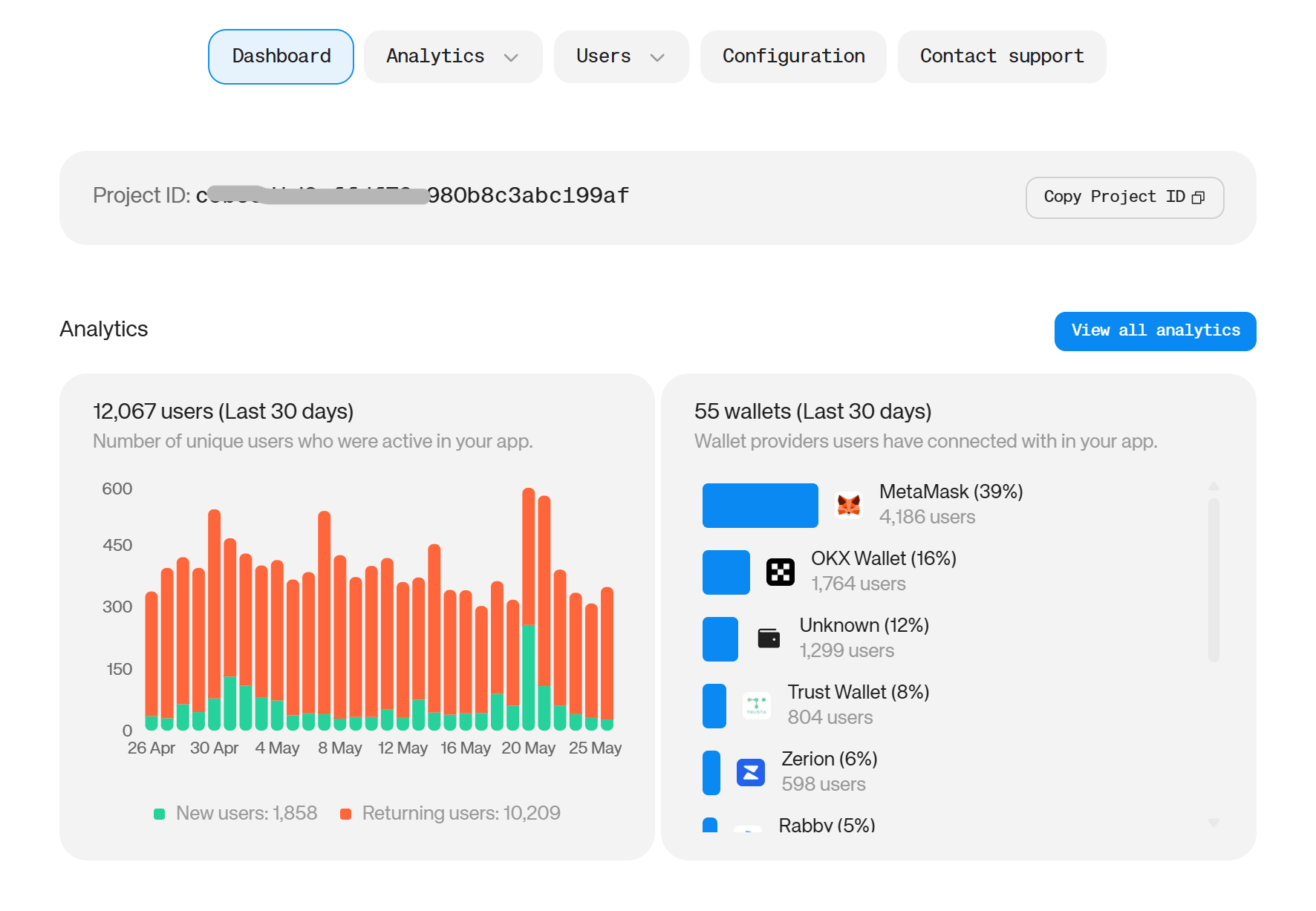
Analytics on your home screen.
Two charts (Users and Wallet Providers) now appear at the top of the dashboard so you can how your app is performing without clicking anywhere. Not only that, but we’ve also introduced a direct link to the full Analytics to make tracking your app performance that much easier.
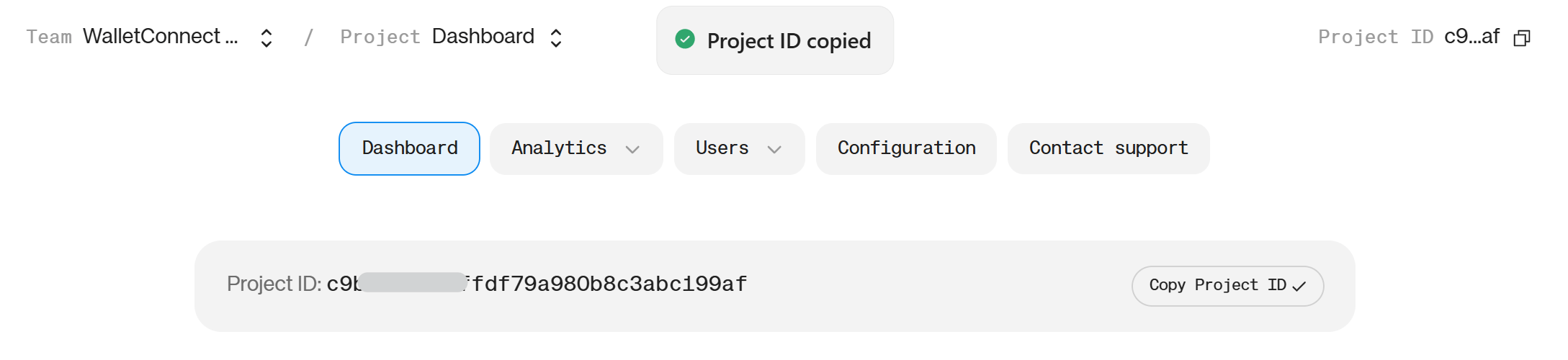
Your project ID, front and center.
We listened to your feedback in an effort to make launching apps much easier. That’s why your project ID is now large and bold at the top of the dashboard homepage.
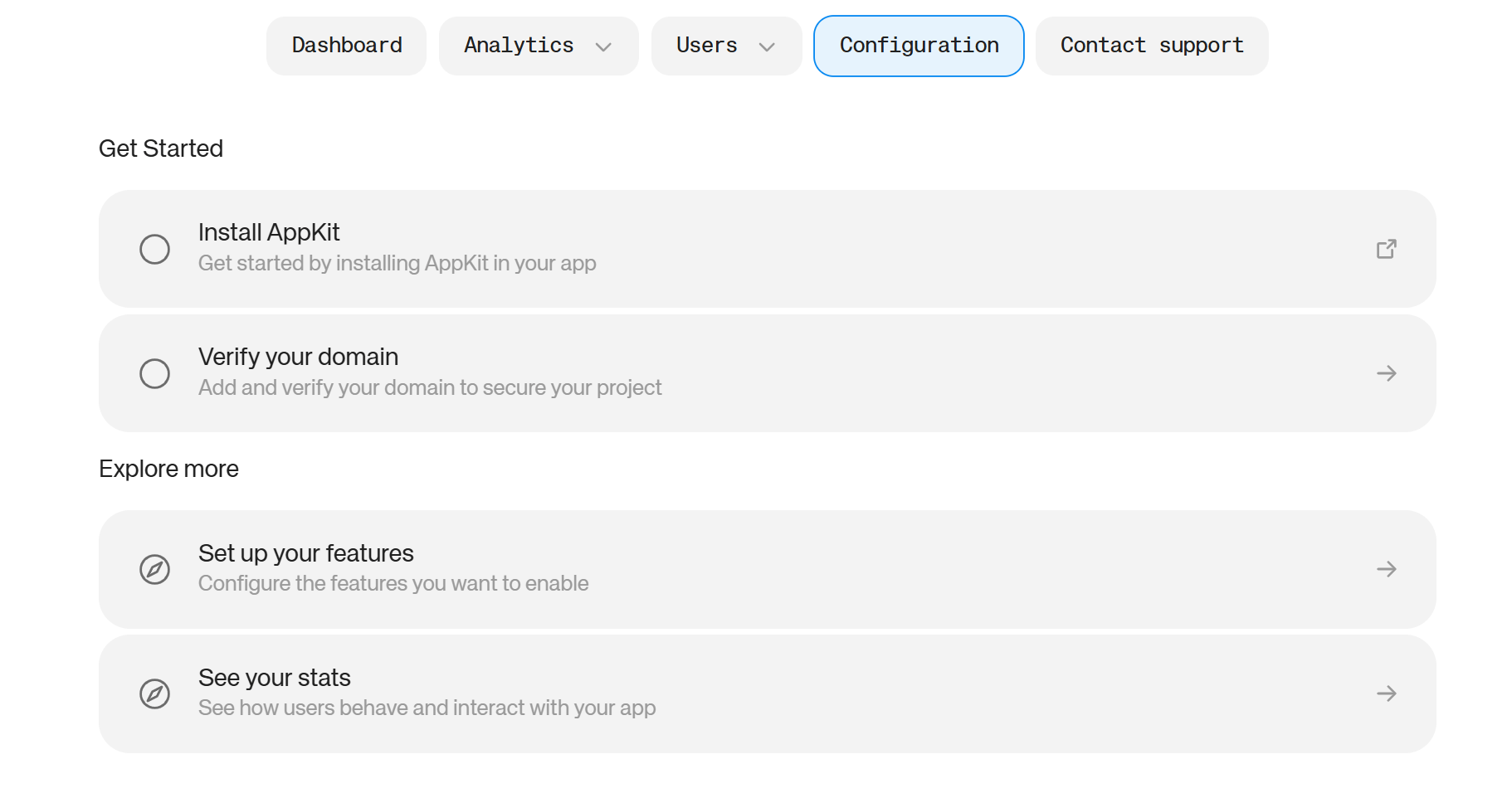
A guided configuration page for new users.
Setting up a new project will now direct you straight to a configuration page to walk you through setting up your project, installing the dependencies you need and activating feature toggles. This streamlines onboarding to get you set up in no time.
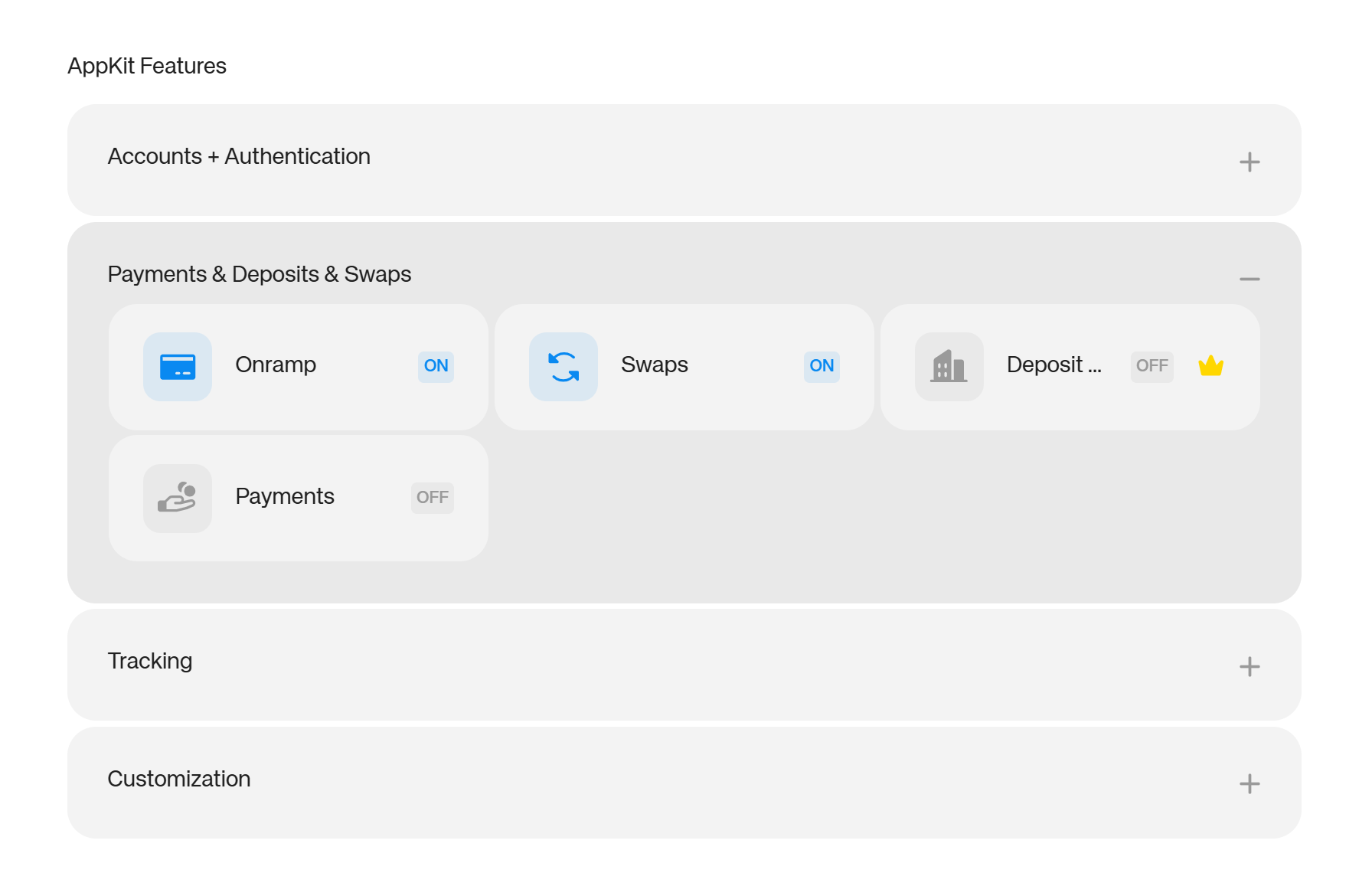
Feature toggles grouped by category.
As the Reown SDK has grown to cover more use cases, the toggle list has grown with it. To help you choose, configure and manage features, we’ve organized feature toggles into 4 clear categories:
- Accounts & Authentication
- Payments, Deposits & Swaps
- Tracking
- Customization
The new grouping makes it easier to find what you're looking for, understand how your configuration fits together, and switch things on or off with confidence.
Why it matters
The dashboard is where you spend real time; setting up projects, checking on app performance, and adjusting how your integration behaves. When the most-used information is buried one or two clicks away, that friction compounds across every session.
By bringing analytics and your project ID to the home screen and simplifying the feature toggle area, you get to spend less time navigating and more time building. This makes interacting with the dashboard a pleasure rather than a chore. Everything you need is front and center.
As fellow builders, we know thar first-time setup is one of the harder parts of getting started with any SDK. There's always a moment where you're switching between a dashboard, a docs page, and your code editor trying to piece things together. That’s why we’ve introduced the new configuration page: to reduce that for new users and help you build for success.
How to access the new dashboard
Luckily for you: there’s nothing to install or configure: the new dashboard is live now and available to all users on all plans.
Simply log in to the Reown Dashboard to check it out.
If you're a new user, you'll be taken straight to the configuration page once you set up your first project. If you're an existing user, you'll see the updated home screen immediately.
So are you ready to explore?
Log in to see the new Reown dashboard. It’s live now!